Where Should You Fill Up? Compare Local Gas Prices Before You Go
See what drivers recently paid near you, check when a price was reported, and keep your usual stops handy in My Gas Price Watch.
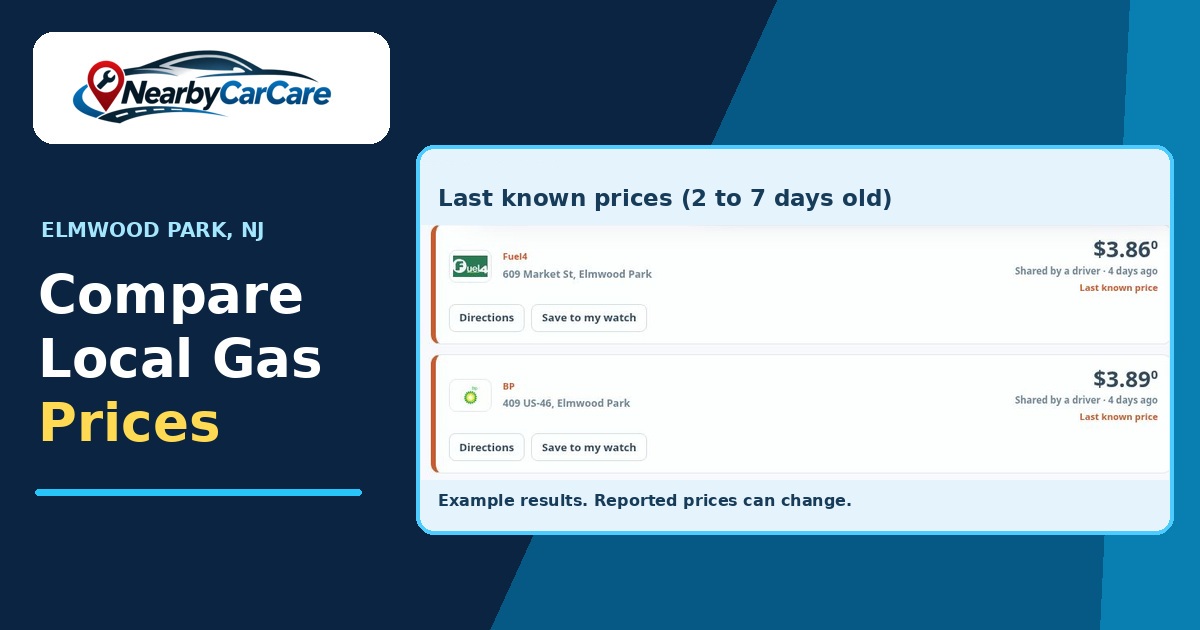
You’re halfway home when the fuel light comes on. There’s a station at the next intersection, another near the grocery store, and a third you pass on the way to work. Which one is worth the stop? Open Gas Prices on Nearby Car Care and you can see what other drivers recently reported before you decide where to fill up.
Start with the fuel you actually buy
Pick regular, mid-grade, premium, or diesel at the top of the page. It’s easy to get excited about a low number and then realize you were looking at regular when you needed diesel. Pick the right fuel first, then look for your state and city in the listings.
You’ll also see a U.S. weekly average from the Energy Information Administration. That number gives you a sense of what fuel is doing across the country. When you’re picking a station for today’s errands, scroll to the local listings and look for prices reported at individual stations.
Read the price and the time together
A low price is only half the story. The other half is when somebody saw it. Recent reports from the last 48 hours are ranked cheapest first. Reports that are two to seven days old can still show as last known prices, and older prices are hidden. Check the timestamp before you put a station into your route. If you’re comparing two stops on the same road, look at both timestamps before you choose where to turn.
Say you’re already headed toward a station with a recent report. Another station across town shows a lower, older price. I’d check the stop that’s already on my route first. A detour across town can eat up the time you were trying to save, and the older price could have changed. Check the pump price before filling up.
You may also see No prices yet in a city listing. That city can still have stations listed. It means there’s no recent price to show there. If you fill up in that area, your report can give the next driver a starting point.
Keep your usual stops in My Gas Price Watch
Most of us rotate through the same few stations. There’s the one close to home, the one that’s easy to pull into after work, and the one you stop at on grocery day. If you’re signed in, open My Gas Price Watch in My Garage. Search by station name and town, then save the stops you actually use.
Your saved stations stay private in your account. You can see the latest reported price for each station, how fresh it is, and how it compares with the other stations you’ve saved. That’s handy when two stops are equally convenient and you just want a quick look before leaving.
Pass along a price you just saw
If you’ve already stopped for fuel, you can report the price you saw on the station sign. You can also share the price when you log a fill-up. Shared price reports are anonymous. Other drivers can see the price and roughly when it was reported.
Pick the station and fuel grade carefully before you report. Two stations can share a brand and have different prices, even in the same town. If you’re filling a work truck with diesel, that’s the number another diesel driver needs to see.
Try it with one stop you make all the time. Check the local listings for your fuel grade, then save that station in My Gas Price Watch if you want to find it again quickly. The next time the fuel light catches you halfway home, you’ll know exactly where to look.